XternalSource Sourcing
Chrome extension that sources LinkedIn candidates and saves them straight into Zoho. Takes about two minutes to set up — you only do this once.
⬇ Download the extension
Version 0.3.5 · Chrome / Edge (desktop)
Install it (one time)
- Unzip the file you just downloaded. You'll get a folder called
dist— remember where it is (e.g. your Downloads folder). Don't delete it later; Chrome reads the extension from this folder. - Open a new tab and go to
chrome://extensions(type it into the address bar). - Turn on Developer mode — the switch in the top-right corner.
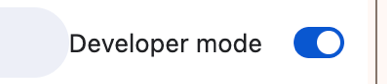
- Click Load unpacked (top-left), then select the
distfolder you unzipped.
- Pin it: click the puzzle-piece 🧩 icon in the toolbar, then the pin next to XternalSource Sourcing.

First time you open it, click Connect Zoho and approve once. That signs you in with your own Zoho account so you only see the roles assigned to you.
Updating later
- Download the newest version from this page and unzip it over the same folder (replace the files).
- Go to
chrome://extensionsand click the ↻ reload icon on the XternalSource card.
Stuck? Send Travis a screenshot of what you're seeing. · XternalSource Sourcing v0.3.5